RBENREJEB@RBR-OS:/OPT/DATAFORM-INTELLIJ-PLUGIN/FEATURES/SQLX-EDITING$ CAT README
SQLX editing
Dataform Plugin for IntelliJ · Features
The plugin understands the three parts of a SQLX file: the config { } block, js { } blocks and the
BigQuery SQL query, with its ${...} template expressions. It also injects BigQuery SQL in the query
template literals of .js and .ts definition files.
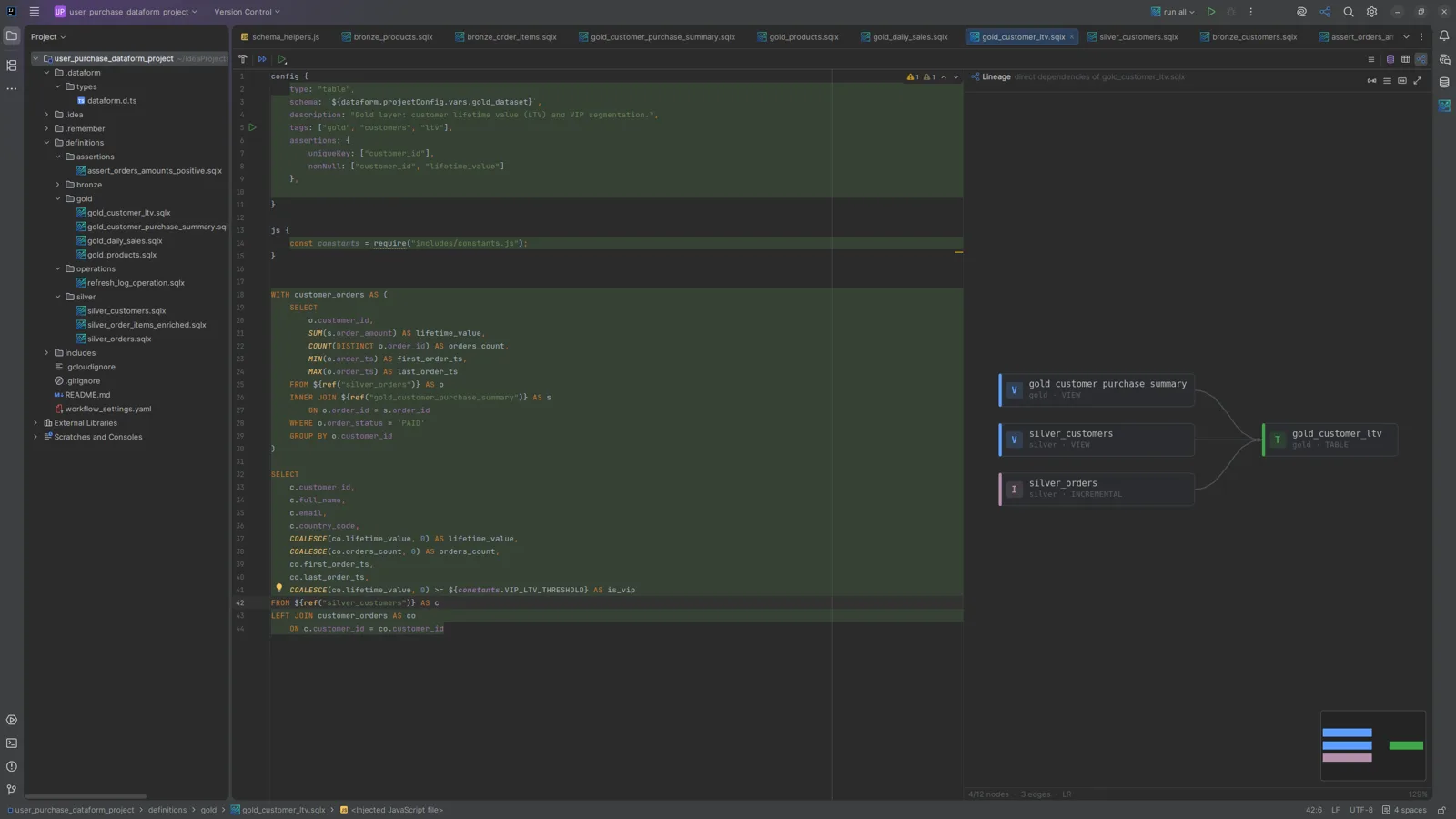
Highlighting and validation
- Syntax highlighting for SQL, JavaScript and config blocks.
- BigQuery SQL dialect, with syntax validation and error highlighting.
- Schema-based validation of
workflow_settings.yamlandconfig { }blocks. - Dataform compilation and BigQuery dry-run errors underlined on the tokens they refer to.
Completion
Ctrl+Space completes:
- Dataform functions:
ref(),declare(),publish(),resolve(),self(), …; - the actions declared in the project, inside
ref(), in SQLX and JavaScript files; config { }keys andworkflow_settings.yamlproperties;- JavaScript and TypeScript symbols, including your
includes/; - the columns of the tables produced by your project, with qualified names and nested
STRUCT/RECORDfields. Schemas come from BigQuery dry runs of the compiled queries.
Typing $ opens completion for a ${...} expression.
Navigation
Ctrl+ClickorCtrl+Bon aref()jumps to the referenced action, on an include to its file, and on a symbol to its declaration.Ctrl+Clickon a column jumps to its declaration in the source table.DECLAREvariables of pre-operations resolve inside the query.- Show Column Usages (
Ctrl+Alt+Shift+U) lists where a column is used.
Quick Documentation
Ctrl+Q shows:
- for a table or
ref(): the target action, its type, schema and columns; - for a column: its name, type, mode and description;
- for a BigQuery function: its signature, description and examples.
Inline expression values
Template expressions are folded to their evaluated value, the way IntelliJ IDEA shows the values of
.properties keys: FROM ${ref("users")} reads as FROM my-project.my_dataset.users.
workflow_settings.yamlreferences, such asdataform.projectConfig.vars.env, andincludes/exports are folded too.- Long or multi-line values are painted over several lines, in place.
Ctrl+.expands a fold back to its source;Ctrl+Qshows the full value.- Only expressions with a single deterministic value are folded. Expressions that depend on the run
mode (
when(),incremental()) or define actions (publish(),operate(),assert(),declare()) stay visible.
Values are computed by running the expression with the project’s Node.js, so ref() and self()
resolve after a compilation. The feature can be turned off in the
plugin settings.